
PORTABLE POWER STATION TROUBLESHOOTING
Portable Power Station Shuts Off With Battery Remaining: Causes and Fixes
Your power station shows 40% battery, but the refrigerator stops or the AC outlets turn off. That does not automatically mean the battery is defective. Energy-saving settings, startup demand, temperature protection, and configured discharge limits can interrupt output before the display reaches zero.
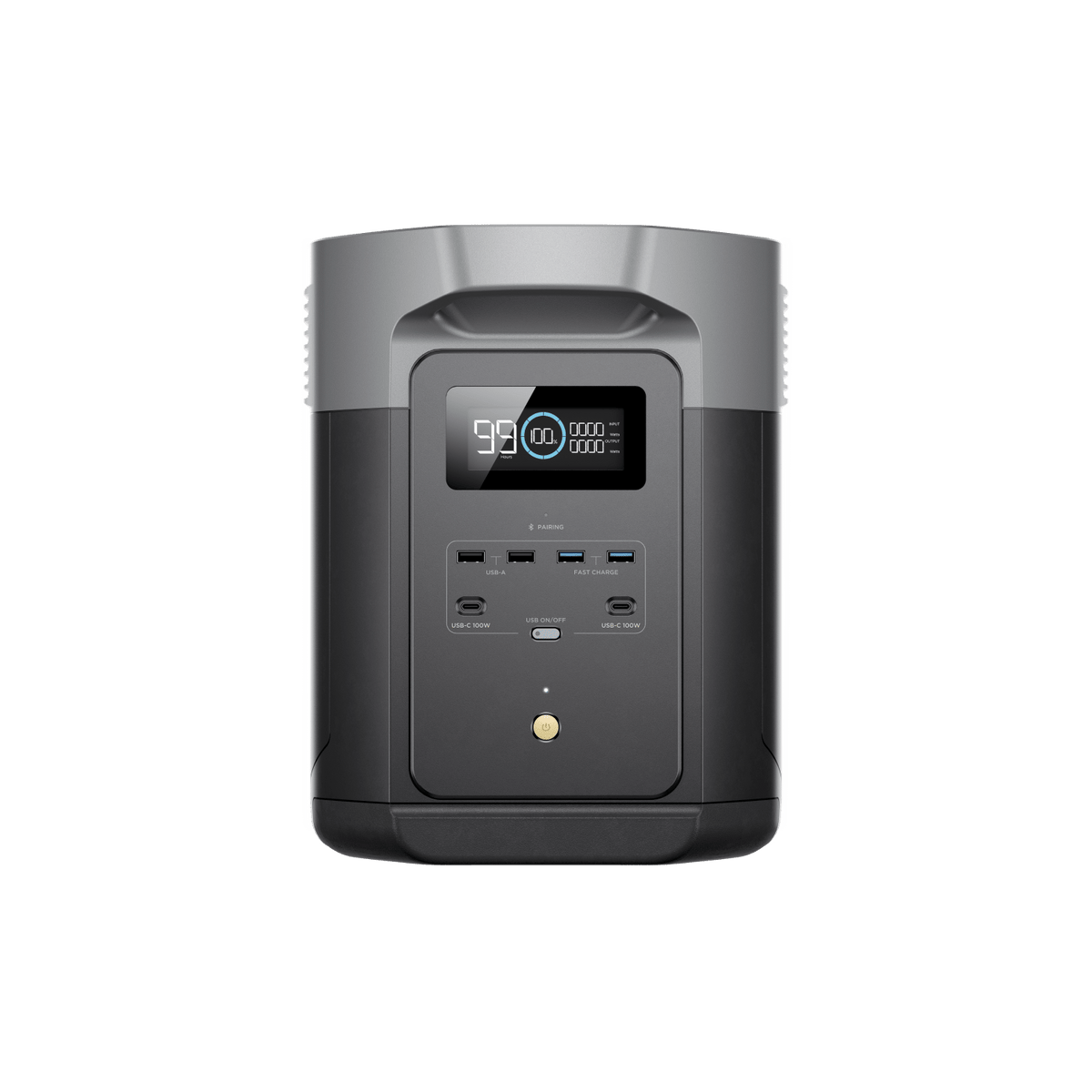
1. Identify What Actually Shut Off
Observe the equipment before restarting it. A sleeping screen is different from lost AC power, and an appliance can stop for its own reasons.
| What you notice | What to check |
|---|---|
| Screen is dark, appliance still works | Display sleep setting; output may still be active. |
| AC outlets are off, display or USB still works | AC output status, timeout, overload, or an output-specific fault. |
| Everything turns off after an idle period | Unit timeout and energy-saving settings. |
| Shutdown happens as a motor starts | Starting surge and inverter compatibility. |
| Shutdown repeats near the same battery percentage | Discharge limits, schedules, or a recurring fault. |
| Temperature icon or fault code appears | The exact model’s warning table. |
Take a photo of the display and note the battery percentage, load, charging source, temperature conditions, and time since startup. Do not erase useful fault information before contacting support.
2. Check AC Timeout and Low-Load Shutdown
Some stations switch off unused output groups to save energy. A refrigerator, sump pump, or other cycling appliance may draw little or no power between cycles, allowing an idle timer to expire.
Possible fix: If the manufacturer permits the application, adjust the relevant output timeout or always-on setting. Check unit timeout separately from AC timeout; changing screen brightness or screen sleep does not necessarily change either.
EcoFlow’s DELTA 2 Max app manual, for example, lists separate unit, screen, AC, and DC timeout controls. Names and available settings vary by model and firmware.
Verify that the appliance restarts after a realistic idle period. Do not add an unnecessary heater or other load just to keep the inverter awake.
Related guide: Can a Portable Power Station Run a Sump Pump?
3. Check Running Load and Startup Surge
Battery energy and inverter output are separate limits. A station can retain plenty of energy while being unable to supply a particular appliance’s demand.
Add the simultaneous loads and compare them with the continuous output rating. Then account for startup demand from motors and compressors. A brief surge may happen too quickly to appear clearly on the display.
Possible fix: Remove other loads, follow the manual’s output-recovery procedure, and retry only if the equipment is undamaged and compatible. Repeated trips with the same appliance call for a compatibility check, not repeated resets.
Do not treat an appliance-boost feature as a guarantee that every motor or voltage-sensitive device will work. See Starting Watts vs. Running Watts .

4. Look for High- or Low-Temperature Protection
A station may stop charging or discharging outside its permitted temperature range. Charging, operation, and storage limits can differ, even on the same product.
Direct sunlight, blocked vents, enclosed cabinets, and a hot vehicle can worsen heat exposure. Cold conditions can also restrict operation.
Possible fix: Stop input and output as the warning instructions require. If the unit is otherwise undamaged and safe to handle, place it in a dry, ventilated environment within its specified range and allow it to recover naturally.
Do not put it in a refrigerator, pack it in ice, heat it with a hair dryer, or bypass the warning. If normal operating conditions do not clear the fault, contact the manufacturer.
5. Review Discharge Limits, Reserve Settings, and Schedules
A configured minimum discharge level can stop output while the screen still shows remaining charge. For instance, a hypothetical 20% discharge floor can intentionally preserve that portion of the battery.
Check the manual’s definitions. A backup-reserve setting, a charge ceiling, and a discharge floor are not necessarily the same control. Scheduled output or app automations may also change operation.
Possible fix: Review settings against the intended use. Change only supported user settings, and keep enough reserve for essential loads. Do not disable battery protection to chase the last displayed percentage.
If the station is used inline with utility power, check pass-through and transfer limits separately. An arrangement can behave differently on battery than while supplied from the wall.
6. When the Battery Reading Seems Wrong
Remaining percentage is an estimate, not a direct promise of usable runtime. A sudden percentage change or repeated shutdown under a modest, compatible load deserves investigation.
Recharge using the approved method, record the behavior, and consult support. Internal battery or measurement faults cannot be diagnosed from the percentage alone.
Do not adopt a generic “drain to zero three times” calibration routine. Follow a model-specific procedure only if the manufacturer recommends it. Firmware updates and resets should also use the exact model’s instructions with essential loads supported elsewhere.
7. Troubleshoot in a Controlled Order
- Move essential equipment to a dependable backup source first.
- Record the warning, settings, battery percentage, and load.
- Stop if there is damage, water exposure, or abnormal heating.
- Check temperature, discharge settings, and output timeouts.
- Disconnect loads and use the manufacturer’s normal restart procedure.
- If permitted, test with one small, known-working compatible appliance.
- Add the intended appliance only after checking its requirements.
- Verify idle periods, restarts, and any approved utility-to-battery transfer.
If the station trips with no load, will not power a modest compatible appliance, or repeatedly shows a fault, stop testing and contact support. Do not open the case.
What to send customer support
- Exact model, serial number, and firmware version.
- Fault-code photo and battery percentage at shutdown.
- Connected appliance models and electrical ratings.
- Whether the station was charging or operating on battery.
- Timeout, discharge-limit, and scheduling settings.
- Ambient conditions and whether the problem occurs unloaded.
Frequently Asked Questions
Why does it shut off at 20% or 30%?
Check for a configured discharge floor first. If none explains it, record the load and any warning code and ask the manufacturer to investigate.
Why does it shut off when my refrigerator is not running?
An idle-output timer may expire between compressor cycles. Check supported always-on settings and test the next cycle.
Does a dark screen mean the station is off?
No. The display may be asleep while outputs remain active. Verify the output indicators and connected appliance safely.
Will a larger battery fix an overload?
Not automatically. Extra energy capacity does not necessarily increase inverter output or starting capability.
Is a reset always the solution?
No. A reset cannot correct an incompatible load, unsafe temperature, damaged equipment, or every internal fault. Use it only as directed for your model.
What if only solar charging stops?
That is a different symptom from losing appliance output. See Why Does My Power Station Stop Charging From Solar?
Sources and photo credits
- EcoFlow: Timeout controls, discharge settings, and automation
- Jackery: Motor-starting loads and output compatibility
- Jackery: Temperature warnings and recovery guidance
- Jackery: Model-specific resets and persistent faults
- EcoFlow DELTA 2 Max product photos
Examples illustrate possible causes, not a diagnosis of every model. Follow your exact power station’s instructions and fault-code guidance.