PORTABLE POWER STATIONS & AUTOMATIC BACKUP
Can You Use a Portable Power Station While It’s Charging? Pass-Through Charging vs. UPS
You want to recharge a portable power station while keeping a refrigerator, router, or other device running. Many models support this, but using an output while charging is different from guaranteeing uninterrupted backup during an outage.
1. What Is Pass-Through Charging?
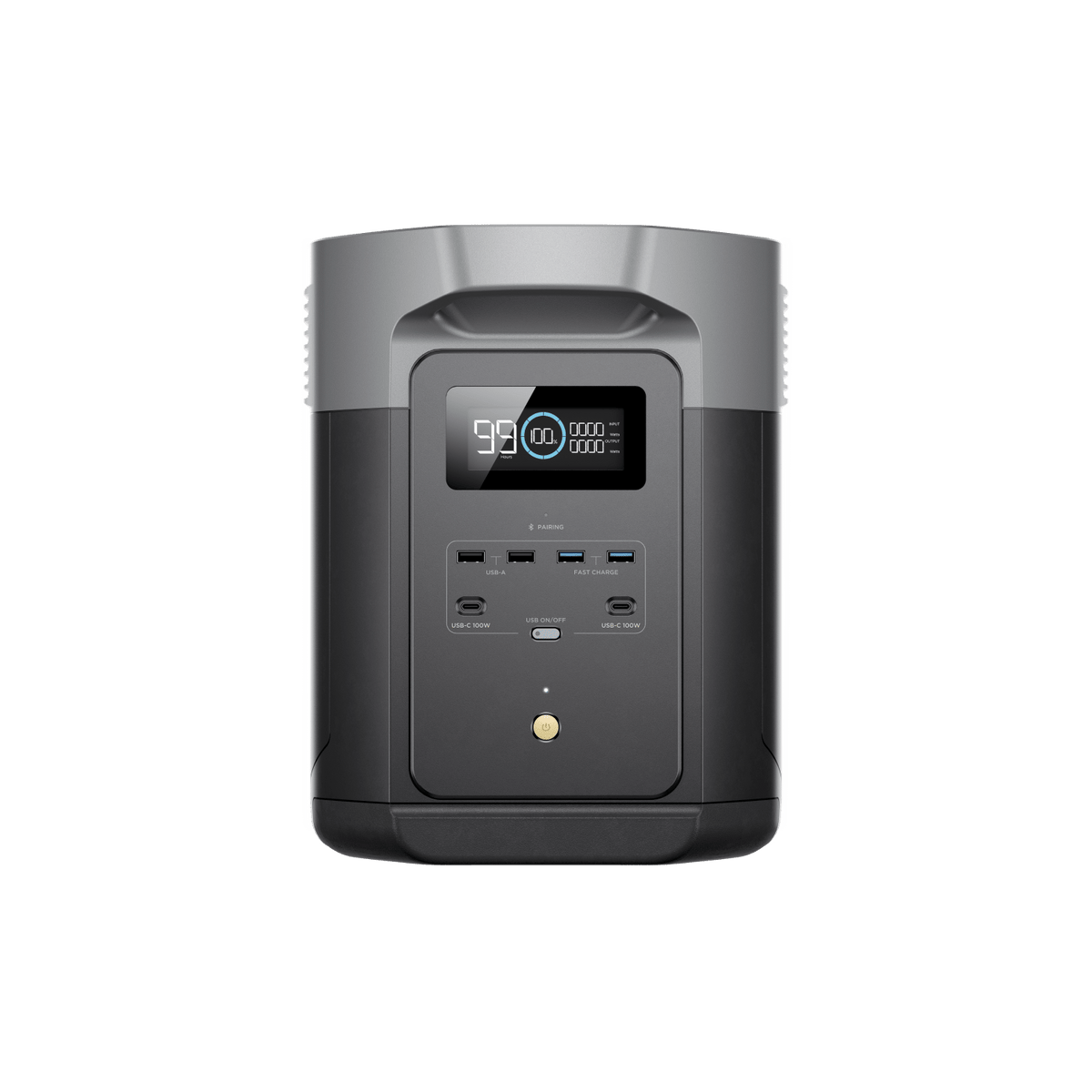
Pass-through charging means the station can accept energy from an external source while supplying connected equipment. Depending on the model, supported inputs may include wall AC, solar, or a vehicle outlet.
The internal power path varies. In an AC bypass arrangement, utility electricity supplies connected AC loads while the station manages battery charging. Other modes use different conversion paths. Do not assume the battery continuously powers every connected device.
Confirm the specific combination you need: AC input with AC output, solar input with AC output, and USB charging with USB output are separate capabilities.
2. Pass-Through Charging Is Not a UPS Specification
| Term | What it tells you | What to verify |
|---|---|---|
| Pass-through charging | Input and output can operate together in a supported configuration. | Whether automatic transfer is supported at all. |
| EPS / backup mode | The product provides a described emergency-power function. | Transfer time, supported loads, and restart behavior. |
| Standby or line-interactive UPS | A UPS design that typically transfers to battery after an input problem. | Its specified transfer interval and equipment compatibility. |
| Online double-conversion UPS | In normal online operation, the inverter continuously supplies the load. | Operating mode, output rating, and application requirements. |
UPS does not always mean zero milliseconds. Schneider Electric lists brief transfer times for its line-interactive Smart-UPS families and no transfer time during normal online operation for its listed double-conversion models.
Likewise, a power station’s EPS or UPS label needs supporting specifications. EcoFlow’s DELTA 2 Max manual describes EPS transfer within 30 milliseconds; that is one model’s specification, not a promise for other products.
A brief interruption may restart some equipment. For servers, essential medical devices, or other interruption-sensitive loads, use a solution approved for the application rather than relying on a marketing label.
Related guide: UPS & Electronics Protection .
3. Check Output Limits in Both Modes
The AC output available while connected to utility power may differ from battery-mode inverter output. Check bypass current, pass-through wattage, battery-mode output, and appliance startup requirements separately.
Illustrative example: A station advertised with 2,000W battery output might have a lower pass-through limit. A load within the battery rating could still exceed the wall-powered mode’s allowance. Use the actual model specifications rather than this hypothetical figure.
Some appliance-boost features are unavailable in bypass mode. Do not treat boost claims as guaranteed motor-starting capacity.
Reduce charging speed only through a supported setting, and do not assume that doing so increases the permitted bypass output. For motor loads, see Starting Watts vs. Running Watts .

4. Why the Battery May Drain While Charging
Simultaneous input and output does not guarantee that battery percentage rises. Where the station supplements an insufficient input from its battery, net energy can still decrease.
Clouds, shade, charging limits, and temperature protection can reduce input. Check the displayed input and output alongside battery trend, and use the manual to interpret what each reading includes.
See Why Does My Power Station Stop Charging From Solar?
5. Can You Leave It Connected All the Time?
Only if your model’s instructions permit the intended continuous connection and application. Support for occasional pass-through use does not automatically approve permanent backup service.
Provide ventilation, keep equipment dry, and stay within charging and operating temperature limits. Do not cover vents or place the station in a sealed cabinet.
Battery aging depends on temperature, charging strategy, time, and use. Avoid blanket claims that pass-through always damages the battery or has no effect on every model. Follow the manufacturer’s recommended charge limits and maintenance routine.
For cycling loads, check AC and unit timeout settings. An outlet that shuts down during an idle period cannot supply the appliance’s next cycle. Also verify behavior after low-battery shutdown and recharging.
Related guide: Portable Power Station Shuts Off With Battery Remaining .
6. Test the Complete Approved Arrangement
- Confirm that both the power station and appliance permit the intended use.
- Check pass-through, battery output, startup demand, and transfer specifications.
- Charge the station and review reserve, timeout, and scheduling settings.
- Connect only through the approved ports and supplied or approved cables.
- Test with nonessential equipment first.
- Use the manufacturer-approved loss-of-input test to observe battery transfer.
- Check the return to utility power, including charging demand.
- Verify any idle period and the appliance’s next startup.
Record restarts, warnings, or unexpected shutdowns. A successful test shows behavior under those conditions; it does not make an unsupported application approved.
Frequently Asked Questions
Can I power a refrigerator while charging?
Possibly, if the supported mode handles its running and starting demand. Check timeout settings and test compressor restarts and loss of input power.
Can I charge from solar while using AC outlets?
Many models support this, but verify yours. Battery level can fall when input is insufficient for the load.
Will my computer stay on during an outage?
Only if the transfer behavior and power quality meet its requirements. Test a supported setup with noncritical work; use an appropriately specified UPS where uninterrupted operation matters.
Can I use it for a sump pump automatically?
Only after checking compatibility, transfer, motor surge, and idle-output behavior. See Can a Portable Power Station Run a Sump Pump?
Does a full battery mean pass-through has stopped working?
No. Charging may pause at its configured limit while supported outputs remain active. Check output status rather than assuming a lack of charging watts means failure.
Sources and photo credits
- Jackery: Pass-through charging explained
- Jackery: Pass-through limits and precautions
- EcoFlow DELTA 2 Max: EPS, bypass, and operating instructions
- Schneider Electric: UPS transfer times by topology
- EcoFlow DELTA 2 Max product photos
Examples are illustrative. Confirm your exact model, regional version, firmware, and appliance requirements before relying on automatic backup.