
GENERATOR & ELECTRONICS TROUBLESHOOTING
Why Won’t My UPS Work on Generator Power? Causes and Fixes
The generator is running and the lights work, but your UPS keeps beeping or stays on battery. It may be rejecting the incoming electricity rather than failing to detect power altogether. The next step is to identify the warning, the load, and the requirements of both machines.

1. Read the UPS Status Before Changing Anything
“Not working” can describe several different problems. Read the display, status lights, and event log against the exact model’s manual.
| Observation | Next check |
|---|---|
| UPS stays on battery while generator power is available | Input rejection reason, connection, and voltage/frequency readings. |
| UPS alternates between line and battery | Load changes, source stability, and accepted input limits. |
| UPS shows an overload alarm | Connected load against both its watt and VA ratings. |
| UPS accepts input but has little battery runtime | Battery condition, charge level, and load. |
| Generator breaker or GFCI trips | The specific protection trip and complete connection arrangement. |
Record the UPS and generator models, event message, connected equipment, and whether the UPS works normally on utility power. A working utility test is useful evidence, not proof that every component is healthy.
2. The UPS May Be Rejecting Generator Input
A UPS evaluates more than whether voltage exists at its plug. Its input criteria can include voltage, frequency, and disturbances in the waveform.
A generator can supply a lamp while failing a UPS’s acceptance checks. A steady-looking voltage display also may not reveal brief disturbances or frequency changes.
What to do: Check reported input values and rejection messages against the UPS specifications. If the generator runs unevenly or other appliances also behave abnormally, arrange generator service. Do not adjust the engine governor or voltage regulator to make the UPS accept the supply.
Have qualified personnel perform any required power-quality measurements. Do not open a live panel or probe unfamiliar generator connectors.
3. Include Battery-Charging Demand in the Load Plan
The generator supplies other appliances as well as the UPS. When the UPS accepts input, it may supply its connected equipment and recharge a depleted battery. Changes in that total demand can expose an unstable or undersized source.
Reduce nonessential loads using the installed operating procedure and observe whether behavior changes. A manufacturer-approved charging-current limit or input ramp setting may help on models that offer it; it is not a universal menu option.
Do not size a generator from the UPS’s VA label alone or apply one sizing multiplier to every system. Ask both manufacturers to verify the proposed combination.
Related guide: How to Size a Generator for Your Home .
4. Lower Sensitivity Has Tradeoffs
Some UPS models provide sensitivity, transfer-voltage, or generator-mode settings. Use only settings documented for your model and compatible with the connected equipment.
Schneider Electric explains that lowering sensitivity on the covered Smart-UPS models can allow operation across a wider range of input conditions, but can also increase transfer time. Sensitive equipment may restart during that longer interruption.
What to do: Record the original settings, consult the manual, and test an approved change with noncritical equipment first. Frequency and other protective limits still apply; a low-sensitivity setting does not make arbitrary power quality acceptable.
Do not assume an identically named setting on another UPS has the same effect. If support recommends a change, ask what it changes and whether your equipment can tolerate it.
5. Check Cords, Protection, and the Installation
Inspect accessible plugs and cords for damage, loose fit, discoloration, or heat. Use the connection method allowed by both equipment manuals; some UPS instructions prohibit extension cords or certain upstream devices.
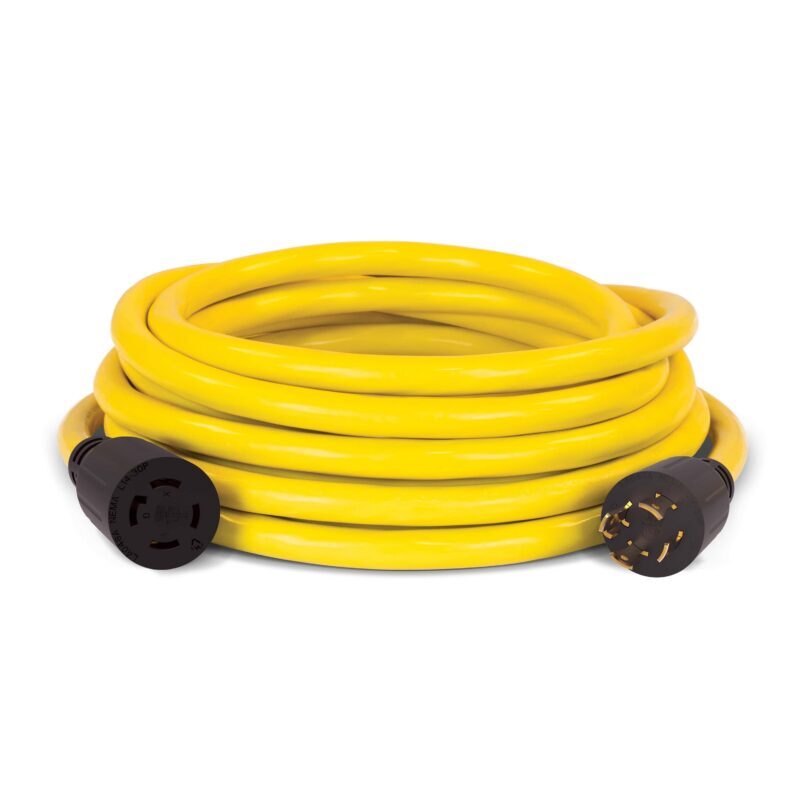
A UPS site-wiring warning or a generator GFCI trip needs its own diagnosis. Neutral bonding, grounding, transfer equipment, and required protection must be evaluated together by a qualified electrician.
See Generator Keeps Tripping Breaker: Causes and Checks .
6. Would an Online UPS Help?
Standby and line-interactive UPS designs may transfer to battery when the source falls outside their criteria. An online double-conversion UPS normally converts input AC to DC and then produces AC output through its inverter.
That design can improve generator integration, but it does not accept every possible source. Input limits, charging demand, overload capacity, bypass behavior, and configuration still matter.
Before buying, provide the UPS supplier with the generator model and full load list. Ask for confirmation of the intended operating arrangement. Do not assume adding an online UPS fixes a generator fault or undersized supply.
For a related comparison, read Pass-Through Charging vs. UPS Operation .
7. Troubleshoot in a Controlled Order
- Protect essential equipment with another approved source or a safe shutdown.
- Record exact models, warnings, settings, and load.
- Confirm the UPS’s normal utility-power behavior if a safe test is available.
- Review the approved connection and generator operating procedures.
- Reduce nonessential loads and let the generator stabilize as instructed.
- Check input readings and the UPS event log.
- Test only manufacturer-approved user-setting changes.
- Contact support if rejection, protection trips, or instability continues.
Watch the battery level. A UPS that remains on battery can eventually shut down the connected load even while the generator continues running.
Frequently Asked Questions
Why does the UPS beep when the generator powers everything else?
It may be rejecting the input or reporting another condition. Read the alarm rather than assuming every beep means the same problem.
Will an inverter generator always work with a UPS?
No. Verify the exact generator and UPS combination, loading, connections, and input requirements.
Does pure sine wave UPS output prove generator compatibility?
No. Output waveform describes what the UPS supplies in a specified mode; it does not define every input it will accept.
Should I replace the UPS battery?
Only when testing indicates a battery problem. Replacing it will not correct rejected generator input.
Can a surge protector fix this?
Do not assume so. An ordinary surge protector does not correct sustained frequency instability or establish compatible input power.
Sources and photo credits
- Eaton: UPS and generator compatibility
- Eaton: UPS fundamentals, sizing, and topology
- Schneider Electric: Smart-UPS sensitivity and transfer-time tradeoffs
- Eaton 9SX: Model-specific generator integration guidance
- Champion generator photo
- Champion generator cord photo
- CPSC: Portable generator safety
This guide covers external checks and documented user settings. Follow your exact equipment manuals and obtain professional help for electrical installation or internal service.